

How to buy a domain name
Screenshots taken on 17 September 2026. Prices shown are examples: always check the current product and cart totals. Select an image to open a larger version.
This guide explains how to register, renew or transfer a domain name in the Tracker-Networks online store.
1. Choose the domain extension
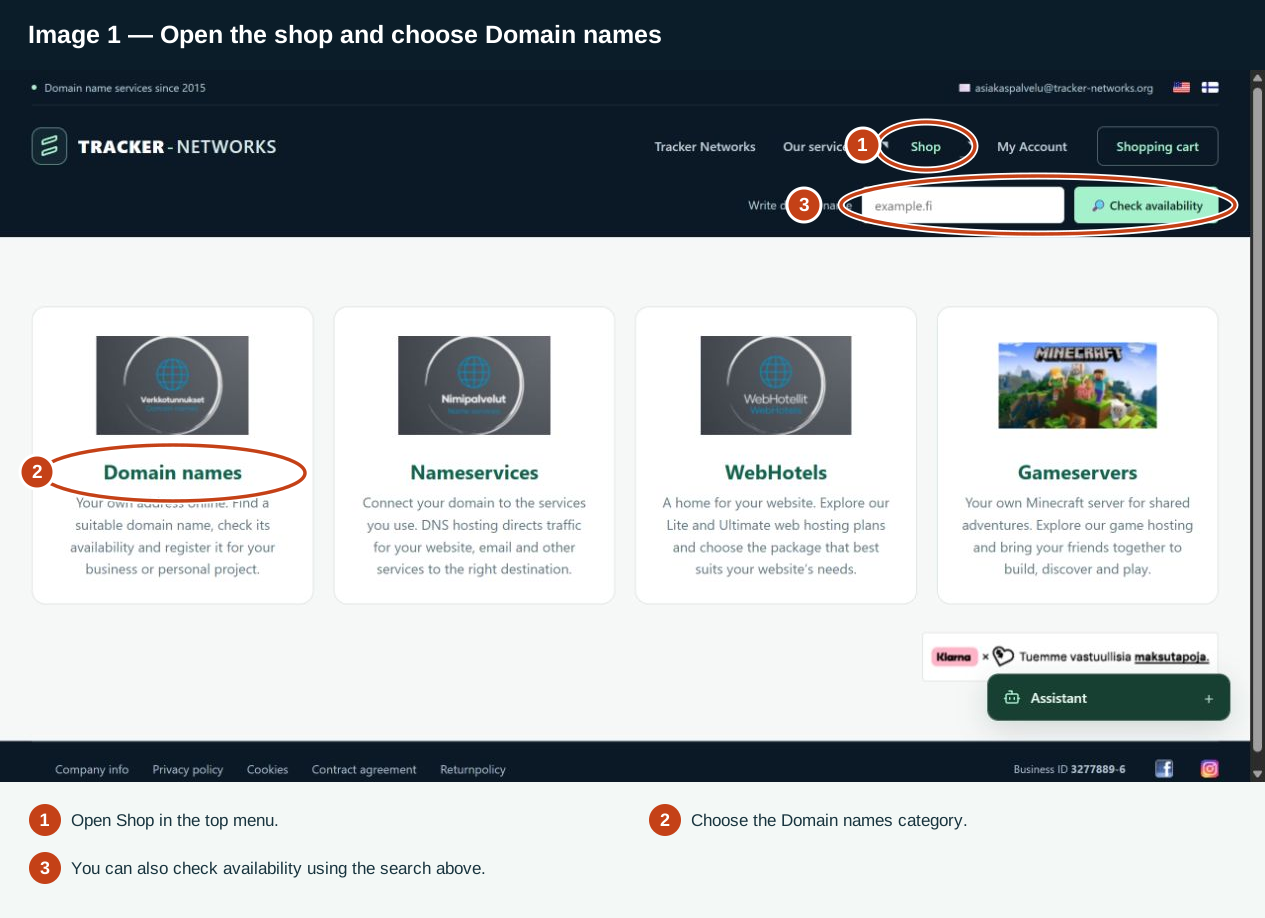
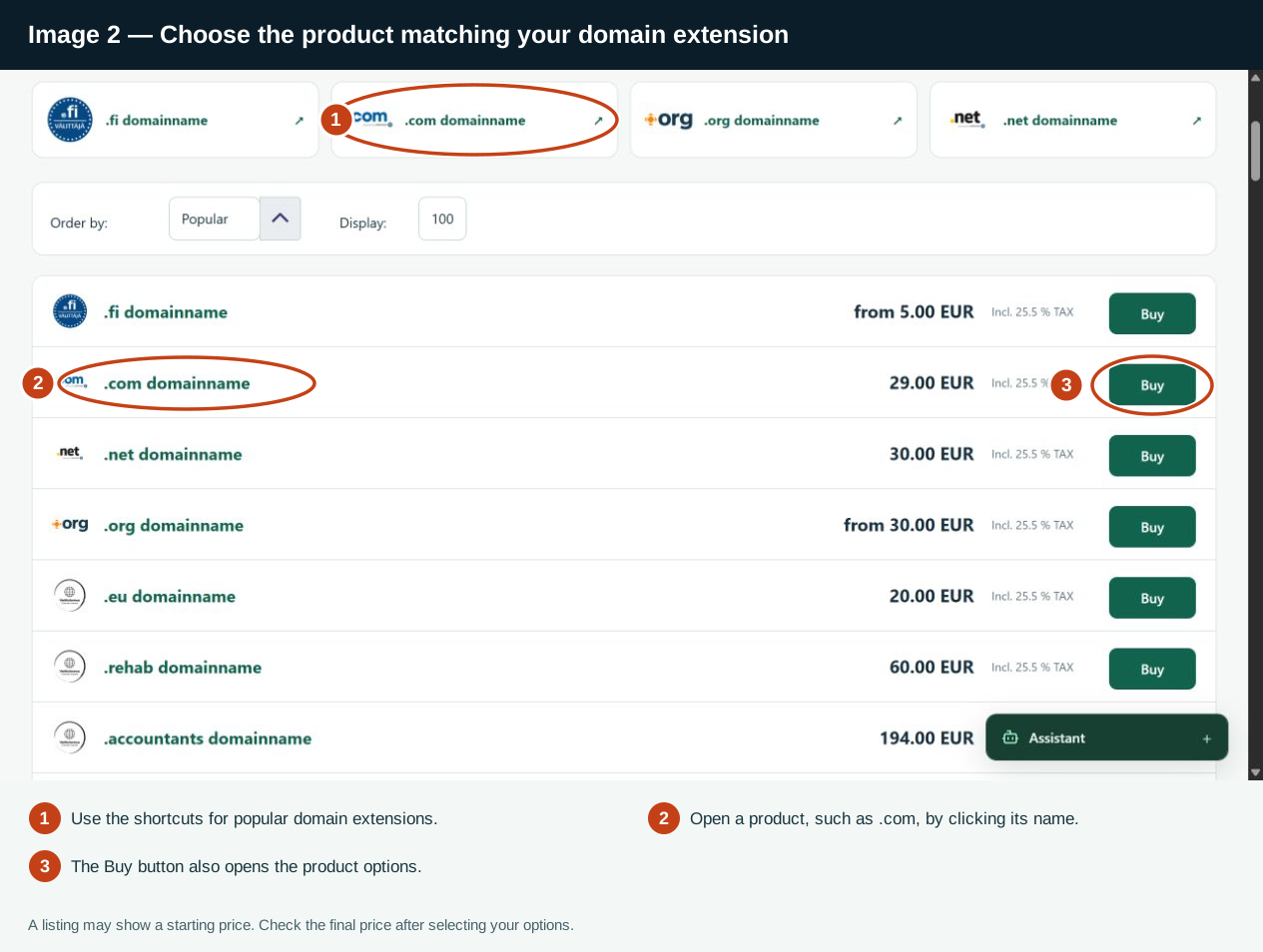
Open Shop – Domain names and choose the product that matches your domain extension. For example, choose the .com product for example.com. You can use the domain search to check availability before ordering.
2. Choose registration, renewal or transfer
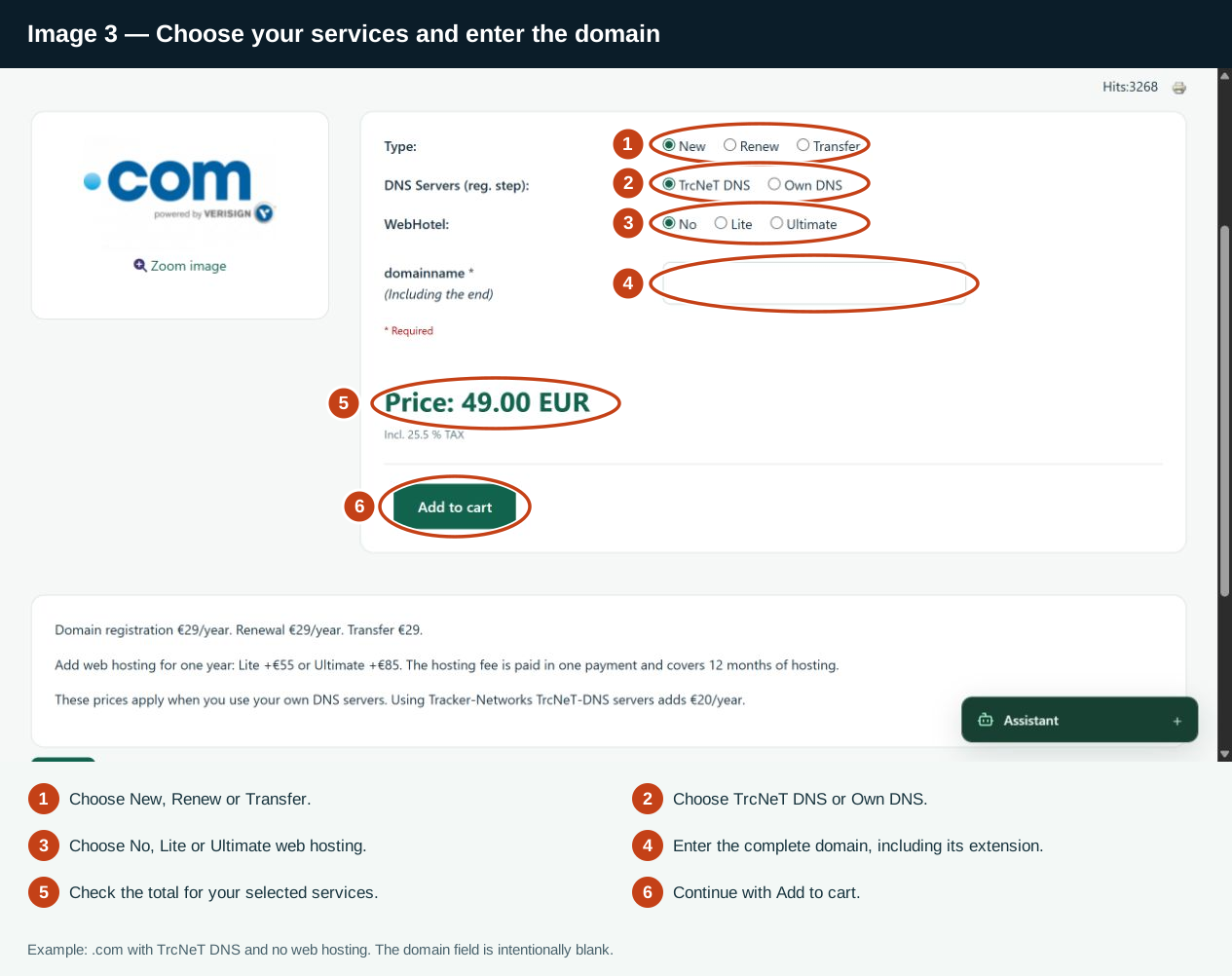
- New: register a domain name that is available.
- Renew: extend the registration of a domain you already own and manage through us.
- Transfer: transfer a domain you own from another provider to Tracker-Networks. Enter the transfer code when the form requests it. You can obtain it from your current provider.
Registration, renewal and transfer prices can differ. Check the prices in the product description and the total for your selected options before adding the product to your cart. Registration and renewal prices are shown per year; the transfer price is shown separately.
3. Choose DNS services
- TrcNeT-DNS: choose our DNS service if you want to use Tracker-Networks name servers. This adds €20/year to the domain price.
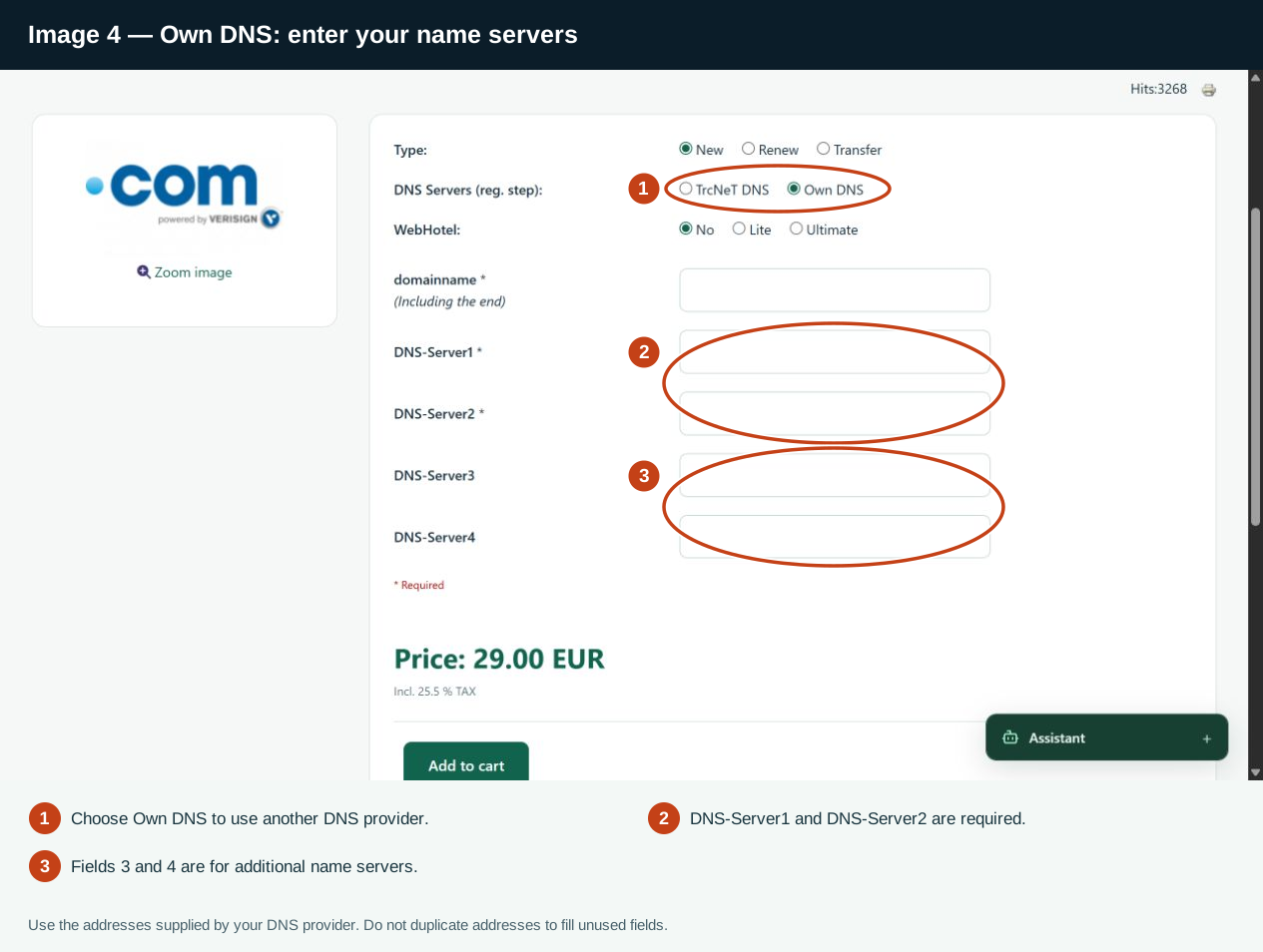
- Own DNS: choose this if you use your own name servers or another DNS provider. Enter at least two name servers supplied by that provider. Do not duplicate addresses just to fill unused fields.
4. Add web hosting if needed
You can order web hosting with your domain: WebHotel-Lite +€55/year or WebHotel-Ultimate +€85/year. The hosting fee is paid in one payment and covers 12 months. If you also choose TrcNeT-DNS, its €20/year fee is added separately. Choose no web hosting if you do not need it.
Each web hosting package includes its own HestiaCP control panel.
5. Enter the domain and required details
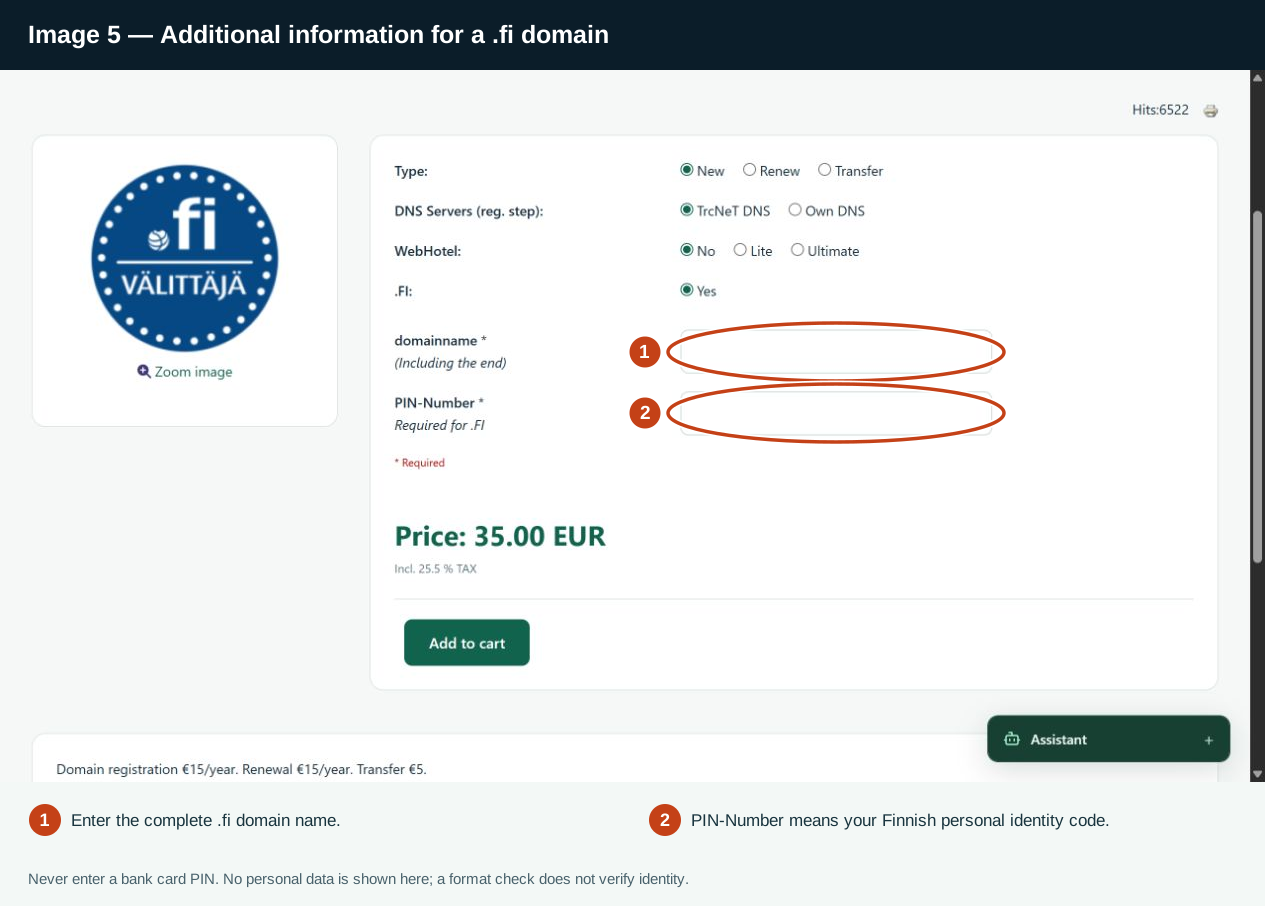
Enter the complete domain name, including its extension, for example example.com. Complete any additional fields shown for the selected domain and order type.
For a .fi domain, enter your own accurate personal identity information if the form requests it. The format check does not verify your identity or replace the requirement to provide correct registrant details. If you are unsure which details to provide, contact customer service before ordering.
6. Add the product to your cart
Select Add to cart. The store checks the information you entered. If a message appears, correct the indicated information and try again. Review the domain name, selected services and price in your cart.
7. Check your account and contact information
Sign in or register when requested. Your account contact information is used for domain registration, so check that it is accurate and up to date before continuing.
8. Choose a payment method and confirm the order
Choose one of the payment methods available at checkout. Review the final total, including any payment-method fee, and read the terms and required confirmations. Continue to the payment provider and complete your payment.
9. Return to the store after payment
Follow the payment provider's return link to the store and wait for the order result. Domain registration and DNS updates may take time. A transfer may take several days, depending on the domain extension and the current provider. Check your order status before submitting the same order again.
Renewing your services
Orders are not automatically recurring subscriptions. If you need to renew a service or have questions about its validity, contact customer service before the current period ends.
Need help? Contact